HookTap 1.0.2: CLI Pairing, Mapping Playground, Webhook Health and URL Rotation
HookTap 1.0.2 introduces CLI pairing, Mapping Playground previews, webhook health diagnostics, URL rotation, and improved delivery insights for iOS webhook workflows.

Send an HTTP POST to your personal URL and get an instant push notification. No server, no account.
No account. No password. No credit card.
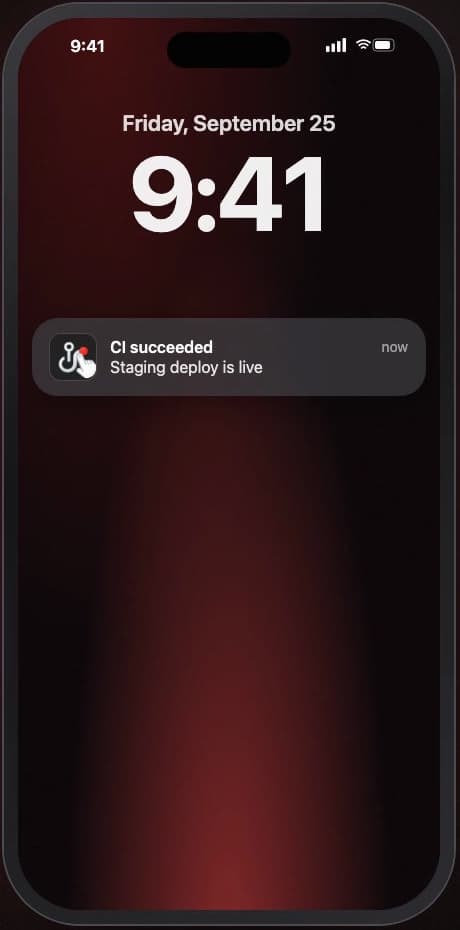
curl -X POST https://hooks.hooktap.me/webhook/YOUR_ID \
  -H "Content-Type: application/json" \
  -d '{
    "type":  "build",
    "title": "CI succeeded",
    "body":  "Staging deploy is live"
  }'
Works with everything that speaks HTTP.









Instead of constantly refreshing tabs and checking logs, HookTap simply sends you a notification to your iPhone. Directly. Reliably. Without overhead.
HookTap is ready to use instantly. Copy the URL, add it to your workflow and get notified in real time.
Install and instantly get your personal webhook URL.
Add it to GitHub Actions, Zapier, n8n, Make, or any script.
HookTap sends you an iPhone notification within seconds.
Your personal URL
https://hooks.hooktap.me/webhook/YOUR_ID
No registration, no password, no extra setup.
From a single curl request to a push notification on your iPhone, plus Live Activities, widgets and webhook sharing. See HookTap in action.
HookTap focuses on fast, clear signals for your workflows. No overhead, only features that actually help in day-to-day use.
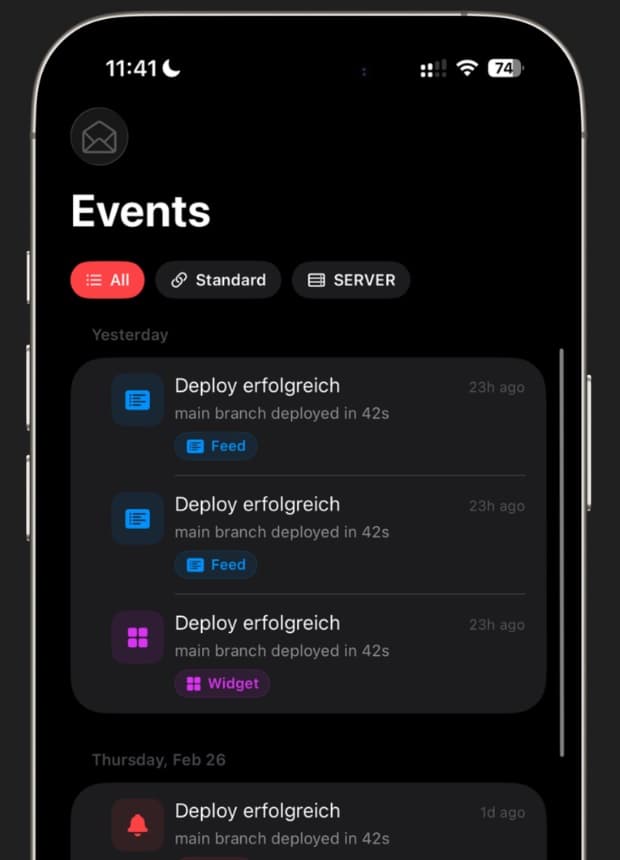
All received events in chronological order, including payload, timestamp, and read status.
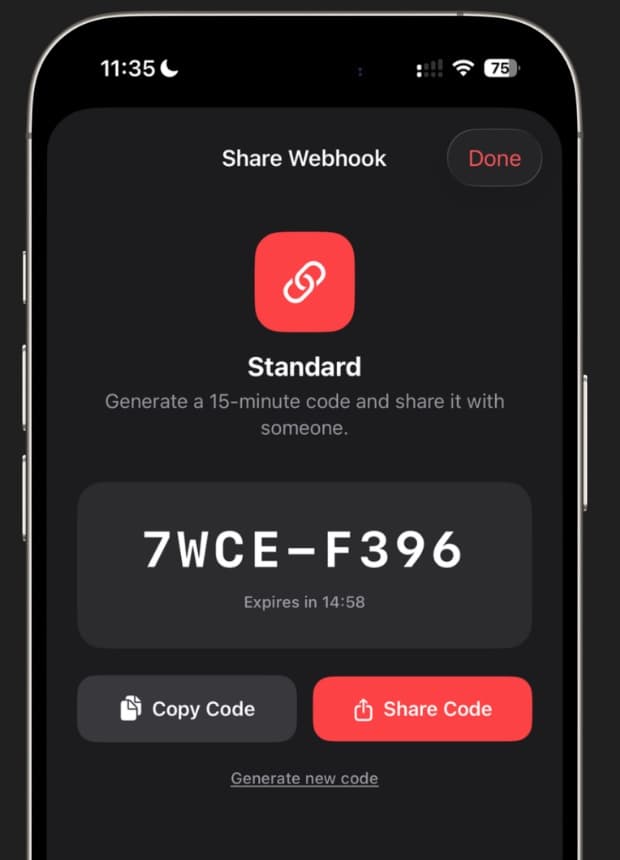
Generate an invite code and let teammates receive the same events on their devices.
Every incoming webhook lands within seconds as a notification on your lock screen.
Title, body, and type immediately visible. All fields remain fully accessible in the feed.
The latest event always visible on your home and lock screen.
Active events visible on lock screen and Dynamic Island, ideal for ongoing processes.
Connect any service. Map JSON fields from GitHub, Stripe, Vercel and more directly to your notifications.
Custom names, icons, and colors per webhook including feed filtering.
Other solutions work, but they weren't built for this.
Messenger Bots
SMTP / SendGrid / Mailgun
ntfy, Gotify, Apprise
PagerDuty, OpsGenie, xMatters
Define your signals and get notified exactly when something important happens in your workflows.
…and much more.
Choose the plan that fits your workflow. Upgrade anytime.
$0
Free, forever
$0.99
per month · cancel anytime
$24.99
one-time · no subscription
Payment via your Apple account. No external account needed. Subscription cancellable anytime via iOS settings.
News, tutorials and updates about webhooks.
HookTap 1.0.2 introduces CLI pairing, Mapping Playground previews, webhook health diagnostics, URL rotation, and improved delivery insights for iOS webhook workflows.
The HookTap CLI lets you send webhook events from scripts, CI jobs, local commands, and terminal workflows straight to your iPhone.
Travo is a new product by HookTap that lets you monitor the health of APIs your app depends on — with real-time alerts and seamless HookTap integration.
A webhook is an automated HTTP request triggered by an event. HookTap receives it and forwards it as a push notification to your iPhone.
No. With Zapier, Make, n8n, GitHub, and similar tools, you just need to enter your HookTap URL. For cURL scripts, minimal knowledge helps.
On first launch, an anonymous account is automatically created. You instantly get your personal URL, no email or password required.
Events are securely stored on servers in Berlin and only displayed on your device. The URL is not guessable. Account and data can be deleted at any time.
In the Free plan, the last 20 events are visible, in the Pro plan 500. Incoming webhooks are unlimited in both plans.
The HookTap Desktop apps are your live webhook clients: they connect via a 6-digit code to your iPhone app, display incoming events in real time, send new events as native system notifications, allow disconnecting and reconnecting your device at any time, and include built-in auto-updates.
Yes. In the Webhooks tab, swipe right on any webhook and tap Share. A unique 8-character invite code is generated (valid for 15 minutes). Share the code with a colleague. They redeem it via 'Enter Share Code' in their Webhooks tab and immediately start receiving push notifications for all events on that webhook. Owners can revoke access anytime; viewers can leave at any time.
Hosting in the European Union means your data is protected by strict privacy laws such as the GDPR. This ensures higher standards for data security, transparency, and user rights compared to many other regions. For developers and teams, it also provides predictable compliance requirements and peace of mind when handling sensitive information.
The widget always displays the latest event, but iOS decides when exactly the visual update takes place (WidgetKit budget). Factors such as battery life and usage play a role here. For truly real-time information, it is best to use the push type, as notifications always appear immediately.
Your personal webhook URL is waiting. Ready in less than a minute.

